
Which Peptide Calculator App Is Best? | PeptideIQ
Which Peptide Calculator App Is Best for Beginners?
So, which peptide calculator app is best for beginners? For most people, PepCalc and PeptideCalc.io are the strongest standalone options — both handle reconstitution math accurately and cost little or nothing. PeptideIQ is the better pick if you want that same math paired with dose logging and cycle tracking, including a reverse calculator that solves for BAC water instead of just concentration. One in three online peptide products ships with the wrong dosage or an undeclared ingredient, according to FDA testing — which is exactly why getting the math right on your end matters.
What Does a Peptide Calculator App Actually Do?
A peptide calculator app converts the numbers on your vial label into a syringe measurement you can actually draw — taking your peptide amount, the bacteriostatic (BAC) water you add, and your target dose, then outputting the exact unit mark on an insulin syringe. Do this math by hand and one misplaced decimal turns a 250 mcg dose into a 2.5 mg one. The app exists so that mistake doesn't happen.
Every calculator worth using handles three inputs: vial size in milligrams, water volume in milliliters, and desired dose in micrograms or milligrams. What separates a good one from a mediocre one is how it handles syringe types — U-100 versus U-50 versus U-30 draw to different unit marks for the identical dose, and a calculator that ignores that distinction will hand you the wrong number.
Key Takeaways
- A peptide calculator app converts vial concentration into syringe units — the #1 source of beginner injection anxiety.
- The best calculator apps for beginners also track your entire protocol, not just calculate one dose.
- PeptideIQ's reverse calculator solves a real beginner pain point: input your target syringe units and get the exact BAC water volume needed.
- Standalone calculators work, but they don't catch dosing errors when you miss a cycle or switch vials — protocol tracking does.
- The most useful app combines calculation accuracy with dose logging and progress tracking, so you can tell if your protocol is actually working.
How Do You Calculate a Peptide Dose as a Beginner?
Manually, you calculate a peptide dose in three steps: divide the vial's total mg by the BAC water volume in mL to get concentration, convert your target dose to the same unit as your concentration, then divide target dose by concentration to get the volume to draw. From there you convert that volume into syringe units based on your syringe type.
Here's what that looks like with real numbers, using a 5 mg vial reconstituted with 2 mL of BAC water:
- Concentration: 5 mg ÷ 2 mL = 2.5 mg/mL (2,500 mcg/mL)
- Target dose: 250 mcg
- Volume to draw: 250 ÷ 2,500 = 0.1 mL
- On a U-100 insulin syringe: 0.1 mL = 10 units
Get any one of those steps wrong — especially the mg-to-mcg conversion, which is where most beginners slip — and the dose is off by a full order of magnitude. If you want the full breakdown of unit conversions and syringe math, our peptide dosing calculator guide walks through it step by step, and our peptide dose calculator piece covers the manual version for anyone who wants to understand the math before trusting an app to do it.
Which Peptide Calculator App Is Best for Beginners?
PepCalc is the most established standalone peptide calculator app, rated 4.5 stars across roughly 2,470 reviews on Google Play with a one-time $9.99 price, while PeptideCalc.io is a free browser-based alternative that also logs other medication types. Neither tracks your protocol beyond the single calculation. PeptideIQ adds the same math inside a full cycle tracker.
| App | Price | Reconstitution Math | Reverse Calculator | Protocol Tracking |
|---|---|---|---|---|
| PepCalc | $9.99 one-time | Yes | Not advertised | No |
| PeptideCalc.io | Free (web) | Yes | Not advertised | Basic logging only |
| Generic online calculators | Free | Basic only | No | No |
| PeptideIQ | Free download, optional Pro | Yes | Yes — solves for BAC water | Full cycle, dose log, inventory |
Worth knowing: Standalone calculators are built to answer one question and close. None of the App Store listings above mention a reverse-calculator mode — most assume you already know your BAC water volume and just want the resulting concentration.
The gap those apps leave is what happens after the first calculation. A calculator that forgets your protocol the moment you close it means you're re-entering the same vial concentration every single dose, for weeks.
PeptideIQ's Reverse Calculator Solves for BAC Water Automatically
Most calculators run one direction: you enter your BAC water volume and get a concentration. PeptideIQ's reconstitution calculator runs backward too — you can enter your target syringe units and it tells you exactly how much BAC water to add to hit that dose, without you touching the math at all.
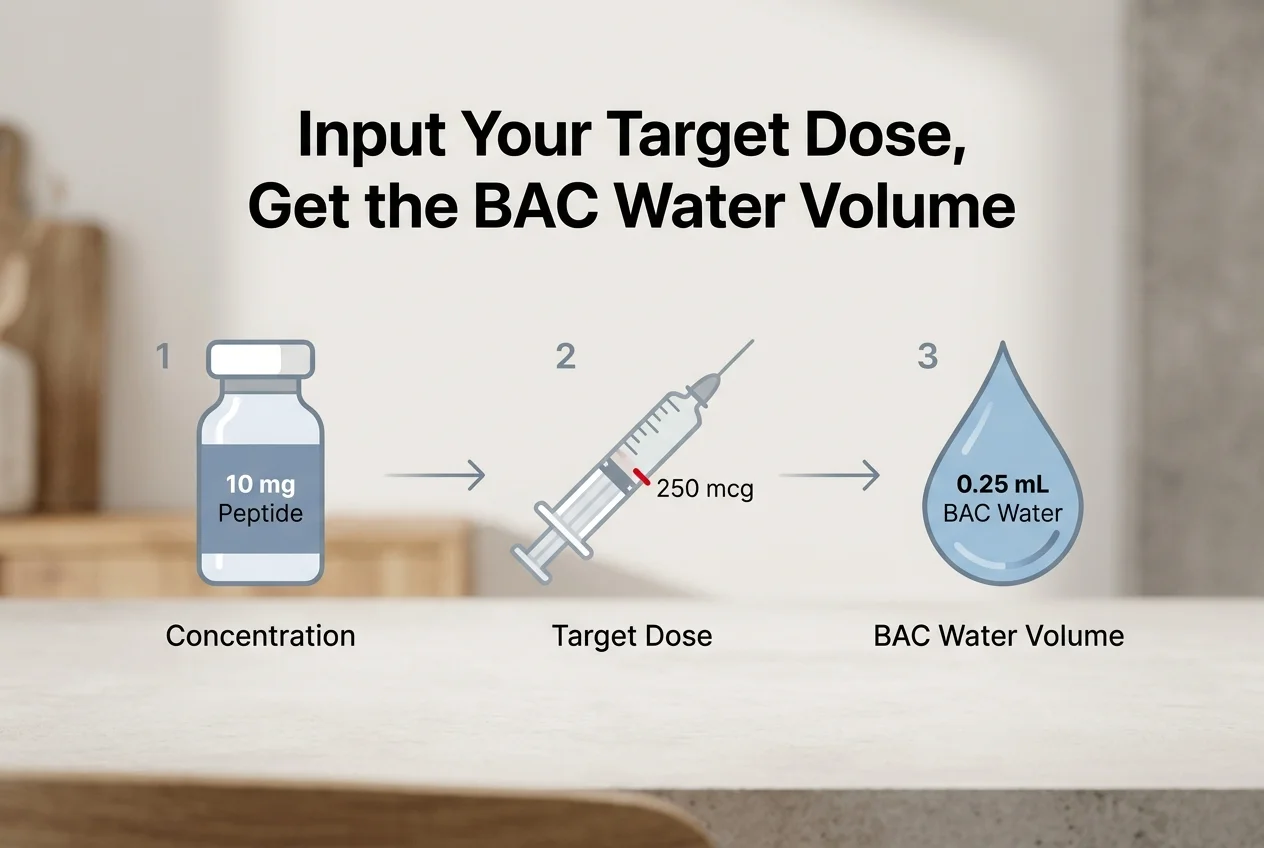 Input a target dose and syringe type; PeptideIQ solves backward for the BAC water volume.
This came directly out of community research into what beginners actually get stuck on: not the forward calculation, but figuring out how much water to add in the first place so the resulting concentration lands on a clean, easy-to-draw number. Enter the peptide amount on your vial, pick your syringe type — U-100, U-50, or U-30 — and set the dose you want, and PeptideIQ tells you the water volume to add. The calculation saves straight to that vial's inventory record, so the concentration is already stored the next time you log a dose.
GLP-1 peptides like semaglutide and tirzepatide follow a different reconstitution curve than something like BPC-157, since dosing typically escalates over a titration schedule rather than staying flat — a detail a one-time calculator has no way to remember from week to week.
Why PeptideIQ Wins: Protocol Tracking Built In
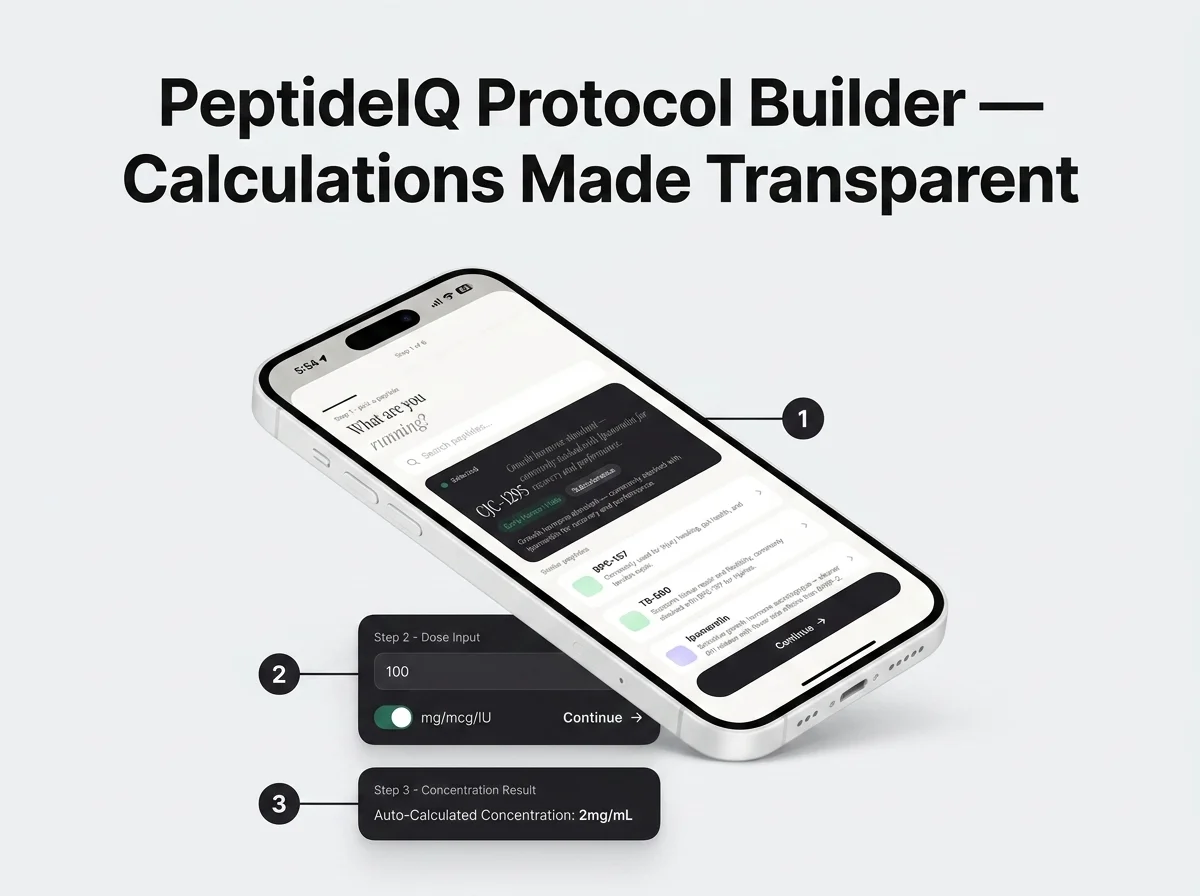 Peptide selection, dose input, and the resulting concentration — all inside one protocol flow.
PeptideIQ wins for beginners because the calculator isn't a standalone tool — it's the entry point into a protocol that keeps working after the first injection. Every calculation ties to a specific vial in your inventory, decrements automatically as you log doses, and feeds a half-life visualizer that shows what's still active in your system before your next shot.
That matters more than it sounds. A calculator app answers "what do I draw today." It has nothing to say about whether the plan is working. PeptideIQ's protocol tracking layer is built specifically to close that gap — see our full breakdown of what makes PeptideIQ stand out from other peptide apps for the complete feature comparison.
- Vial inventory auto-decrements with every logged dose, so you always know doses remaining
- Expiry and low-stock alerts fire automatically per peptide type
- A visual syringe display shows exactly where to draw, recalculated live from your stored concentration
- Weekly AI insight cards tell you whether your actual data — not just adherence — supports that the protocol is working
Do You Need a Specialized Peptide Calculator App, or Will a Regular Calculator Work?
A regular calculator can technically do the arithmetic, but it can't hold your syringe type, your vial concentration, or your dose history between injections — which means you're redoing the same math from scratch every time and re-introducing the same error risk. A specialized peptide calculator app removes that repetition entirely.
The math itself isn't hard once you've done it a few times. The risk is doing it under time pressure, half-remembering last week's numbers, or mixing up mg and mcg at 11 p.m. before bed. That's the exact failure mode a dedicated app is built to prevent — it's also why our guide on the best app to track peptide injections and our best peptide tracker comparison both treat calculation accuracy as table stakes, not the whole product.
Which Peptide Calculator App Is Best for Beginners? The Short Answer
The best peptide calculator app for beginners is the one that keeps working after the first calculation. PepCalc and PeptideCalc.io get the reconstitution math right in the moment. PeptideIQ does the same math, then saves the concentration to your vial, remembers your dose history, and can solve backward for BAC water when you'd rather work from a target dose than a water volume.
Get Started with PeptideIQ
If you've got a vial in the fridge and no idea how much BAC water to add, PeptideIQ's reconstitution calculator — including the reverse-calculator mode — handles the math and keeps tracking your protocol after that first dose. Try it free.
Download PeptideIQ on the App Store
FAQ
What is the best free peptide calculator app?
PeptideCalc.io is free and handles standard reconstitution math in a browser. For a free app-based option with protocol tracking layered on top of the calculator, PeptideIQ is available now on iOS with an optional Pro tier.
How do I calculate how much peptide I need per injection?
Divide your vial's total mg by the BAC water volume in mL to get concentration in mg/mL, convert your target dose to the same unit, then divide the dose by concentration to get the volume to draw. Convert that volume to syringe units based on whether you're using a U-100, U-50, or U-30 syringe.
Are peptide calculators accurate for reconstitution?
Yes, when the inputs are correct — vial amount, water volume, and desired dose. The apps themselves don't introduce error; misreading a vial label or mixing up mg and mcg does. That's why a calculator that saves your vial concentration automatically, rather than requiring re-entry each time, reduces the risk more than the calculation alone.
Can one app handle calculations for multiple peptides at once?
Yes — apps built around vial inventory, like PeptideIQ, store a separate concentration and dose history per peptide, so switching between a GLP-1 protocol and a healing peptide like BPC-157 doesn't require re-entering data each time. Standalone calculators that don't save vial records require starting over for every peptide.